pymmcore-gui
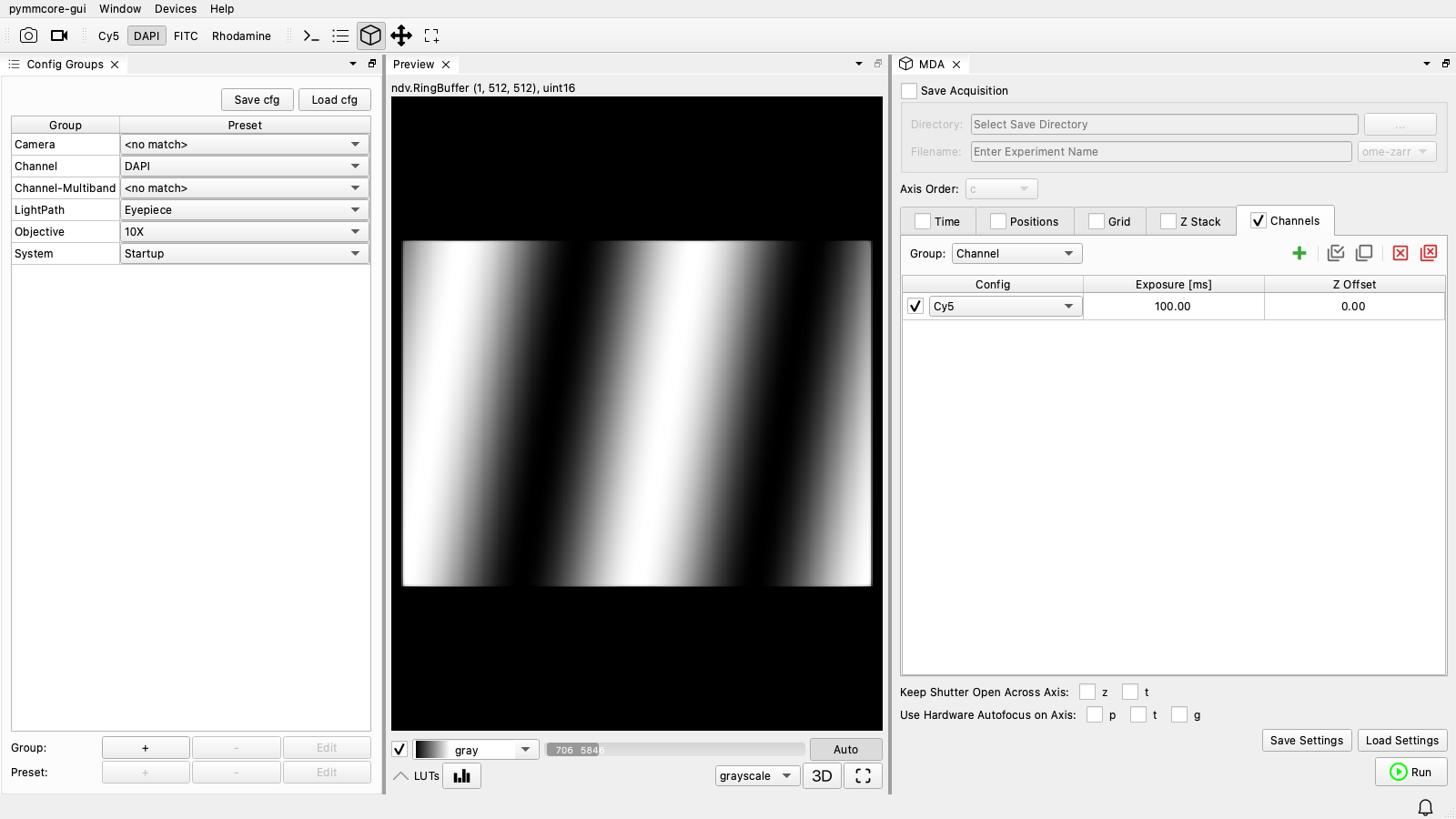
pymmcore-gui is a desktop application for controlling microscopes with the Micro-Manager core, written in Python. It's built from the other packages on this site (plus ndv for viewing images), and the goal is to provide a pure-Python replacement for Micro-Manager's Java GUI (MMStudio).
Name pending
pymmcore-gui is a working title. The application is usable today, but expect rough edges and frequent changes.
Who it's for
pymmcore-gui is for people who want to use a microscope from a Python application the way they'd use MMStudio: load a configuration, look at the live image, set up a multi-dimensional acquisition and run it, without writing code. It's also a place to start if you're a developer who'd rather add a few panels to an existing application than build a GUI from scratch with pymmcore-widgets. You can add your own widgets, and script the running GUI from its built-in console.
pymmcore-gui or napari-micromanager?
napari-micromanager came first. It's a napari plugin built from the same widgets, in which images become napari layers. It's still maintained, but new development is going into pymmcore-gui, which uses ndv instead of napari (for performance, and to keep the dependencies down). If your analysis already lives in napari, napari-micromanager may suit you better; otherwise, start with pymmcore-gui.
What's inside
| Component | Role in the GUI |
|---|---|
| pymmcore-plus | Device control and the acquisition engine (CMMCorePlus, MDAEngine). |
| useq-schema | Describes the experiments you run: time-lapses, z-stacks, channels, well plates, grids, ... |
| pymmcore-widgets | The panels: camera and stage control, property browser, acquisition setup, ... |
| ndv | Fast, lightweight n-dimensional viewer for live and acquired images. |
Features
- Device control and configuration (including the Hardware Configuration Wizard)
- Multi-dimensional acquisitions: time, z, channels, positions, grids, well plates
- Real-time image preview and acquisition visualization (2D and 3D)
- Customizable, dockable layouts
- An integrated IPython console with access to the running core
- Double-clickable application bundles for Windows and macOS
Next steps
To try it out, install pymmcore-gui (as a Python package or a bundled app), then see Using pymmcore-gui for launching it, its command-line options, and scripting it from Python. The API reference documents the parts you can build on.