Skip to content

PresetsWidget

PresetsWidgetPresetsWidget

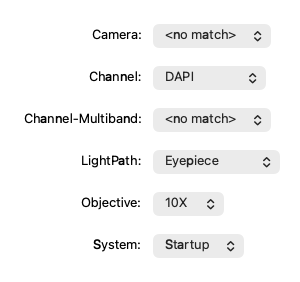
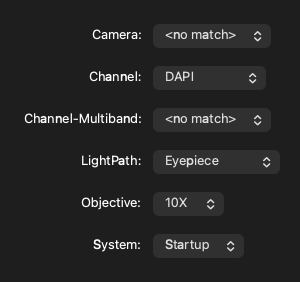
Screenshot generated from the example below.

Example

examples/presets_widget.py
"""Example Usage of the PresetsWidget class.

In this example all the available groups created in micromanager
are displayed with a 'PresetsWidget'.
"""

from pymmcore_plus import CMMCorePlus
from qtpy.QtWidgets import QApplication, QFormLayout, QWidget

from pymmcore_widgets import PresetsWidget

app = QApplication([])

mmc = CMMCorePlus.instance()
mmc.loadSystemConfiguration()

wdg = QWidget()
wdg.setLayout(QFormLayout())

for group in mmc.getAvailableConfigGroups():
    gp_wdg = PresetsWidget(group)
    wdg.layout().addRow(f"{group}:", gp_wdg)

wdg.show()

app.exec()

API

Bases: QWidget

Combo box that shows and sets the current preset of one configuration group.

Parameters:

Name Type Description Default
group str

Group name.

required
parent QWidget | None

Optional parent widget. By default, None.

None
mmcore CMMCorePlus | None

Optional pymmcore_plus.CMMCorePlus micromanager core. By default, None. If not specified, the widget will use the active (or create a new) CMMCorePlus.instance.

None

value

value() -> str

Get current value.

setValue

setValue(value: str) -> None

Set the combobox to the given value.

allowedValues

allowedValues() -> tuple[str, ...]

Return the allowed values for this widget.