Skip to content

HCSWizard

HCSWizardHCSWizard

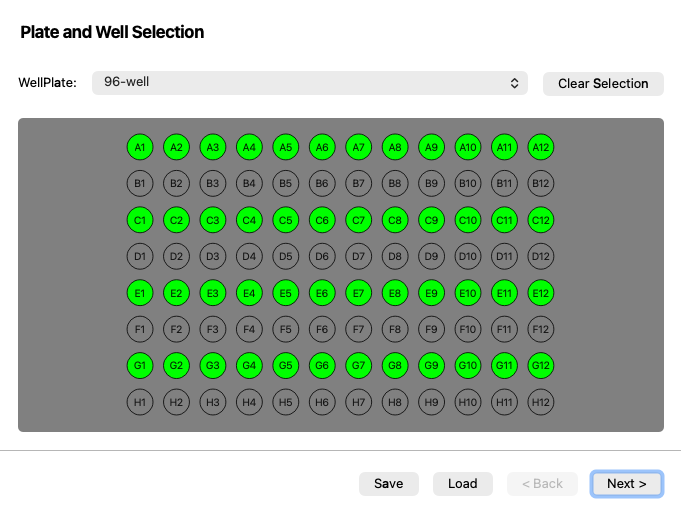
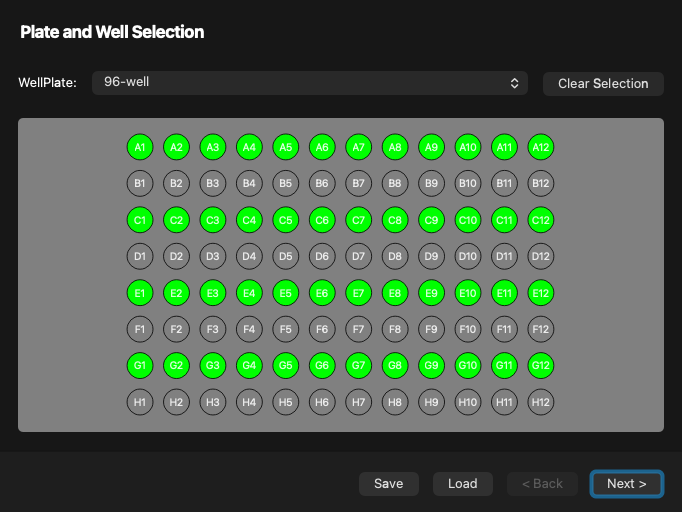
Screenshot generated from the example below.

Example

examples/hcs_wizard.py
from contextlib import suppress

import useq
from pymmcore_plus import CMMCorePlus
from qtpy.QtWidgets import QApplication

from pymmcore_widgets import HCSWizard, StageWidget

with suppress(ImportError):
    from rich import print

app = QApplication([])
mmc = CMMCorePlus.instance()
mmc.loadSystemConfiguration()
w = HCSWizard()
w.show()
w.accepted.connect(lambda: print(w.value()))
s = StageWidget("XY", mmcore=mmc)
s.show()


plan = useq.WellPlatePlan(
    plate=useq.WellPlate.from_str("96-well"),
    a1_center_xy=(1000, 1500),
    rotation=0.3,
    selected_wells=slice(0, 8, 2),
)
w.setValue(plan)

app.exec()

API

Bases: QWizard

A wizard to set up a high-content screening (HCS) experiment.

This widget can be used to select a plate, calibrate it, and then select the number of images (and their arrangement) to acquire per well. The output is a useq.WellPlatePlan object, which can be retrieved with the value() method.

Parameters:

Name Type Description Default
parent QWidget | None

The parent widget. By default, None.

None
mmcore CMMCorePlus | None

Optional pymmcore_plus.CMMCorePlus micromanager core, used to calibrate the plate. By default, None. If not specified, the widget will use the active (or create a new) CMMCorePlus.instance.

None

value

value() -> WellPlatePlan | None

Return the current well plate plan, or None if the plan is uncalibrated.

setValue

setValue(value: WellPlatePlan) -> None

Set the state of the wizard to a WellPlatePlan.

save

save(path: str | None = None) -> None

Save the current well plate plan to disk.

load

load(path: str | None = None) -> None

Load a well plate plan from disk.