
MDAWidget
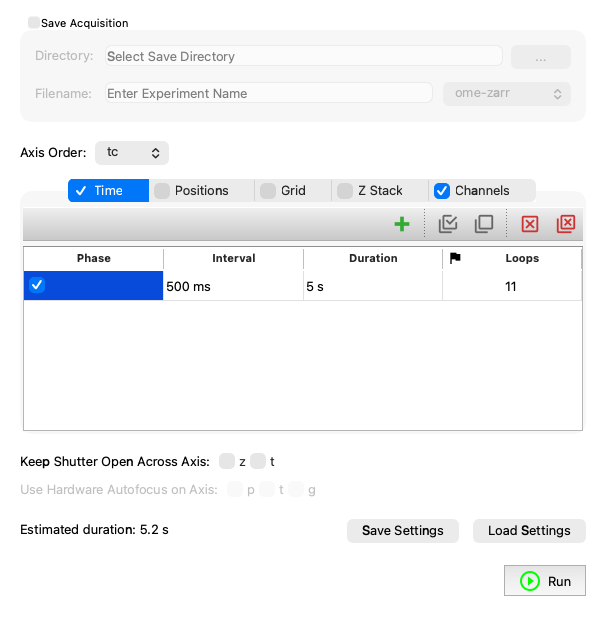
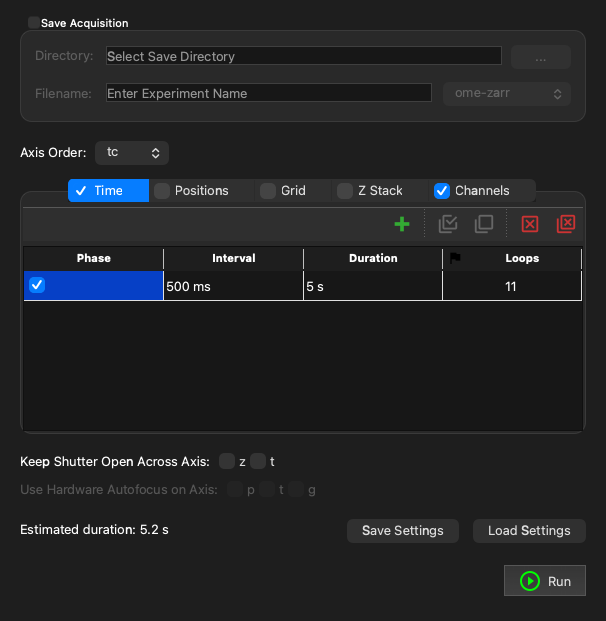
Example
API
Bases: MDASequenceWidget
Main MDA Widget connected to a pymmcore_plus.CMMCorePlus instance.
It provides a GUI to construct and run a useq.MDASequence. Unlike
useq_widgets.MDASequenceWidget, this
widget is connected to a pymmcore_plus.CMMCorePlus instance, enabling
awareness and control of the current state of the microscope.
Parameters:
| Name | Type | Description | Default |
|---|---|---|---|
parent
|
QWidget | None
|
Optional parent widget, by default None. |
None
|
mmcore
|
CMMCorePlus | None
|
Optional |
None
|
- Getting Started Coming from Micro-Manager Where things went
- User Guide
Emitted (with no arguments) when the sequence changes; read it with value().
value() -> MDASequence
Return the current state of the widget as a useq.MDASequence.
Some fields are filled in from the current state of the core. For example, if there are no stage positions, the current stage position is used.
setValue(value: MDASequence) -> None
Set the state of the widget from a useq.MDASequence.
Get the next available path.
This method is called immediately before running an MDA to ensure that the file being saved does not overwrite an existing file. It is also called at the end of the experiment to update the save widget with the next available path.
It may be overridden to provide custom behavior, but it should always return a Path object to a non-existing file or folder.
The default behavior adds/increments a 3-digit counter at the end of the path (before the extension) if the path already exists.
Parameters:
| Name | Type | Description | Default |
|---|---|---|---|
requested_path
|
Path
|
The path we are requesting for use. |
required |
execute_mda(
    output: Path
    | str
    | SupportsFrameReady
    | Sequence[Path | str | SupportsFrameReady]
    | None,
) -> None
Execute the MDA experiment corresponding to the current value.
Run the current sequence (what the "Run" button does).
Calls prepare_mda, then
execute_mda unless preparation
was cancelled.