Skip to content

MDASequenceWidget

MDASequenceWidgetMDASequenceWidget

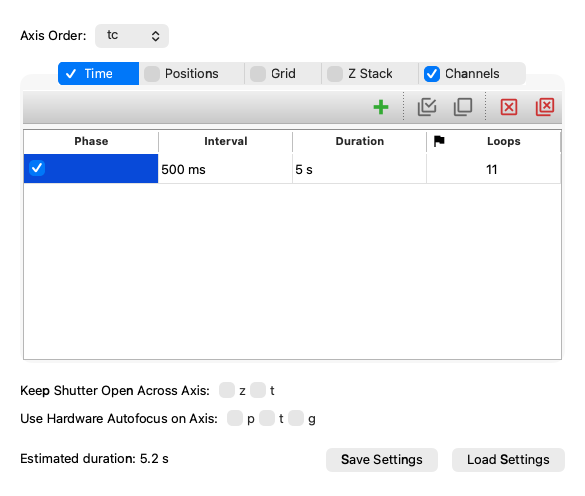
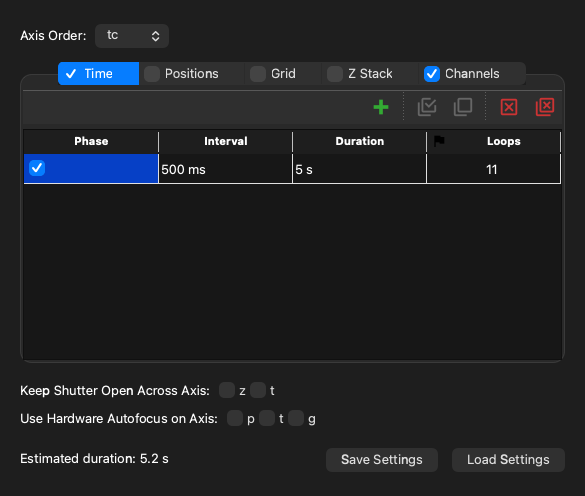
Screenshot generated from the example below.

Example

examples/mda_sequence_widget.py
"""MDASequenceWidget is a widget for creating a useq.MDASequence object.

It has no awareness of the CMMCorePlus object, and does not have a "run" button.
"""

import useq
from qtpy.QtWidgets import QApplication

from pymmcore_widgets import MDASequenceWidget

app = QApplication([])

wdg = MDASequenceWidget()
# without a core, the widget doesn't know your channels: tell it what to offer
wdg.channels.setChannelGroups({"Channel": ["DAPI", "FITC"]})
wdg.setValue(
    useq.MDASequence(
        channels=["DAPI", "FITC"],
        time_plan=useq.TIntervalLoops(interval=0.5, loops=11),
    )
)
wdg.valueChanged.connect(lambda: print(wdg.value()))
wdg.show()
app.exec()

API

Bases: QWidget

A widget that provides a GUI to construct and edit a useq.MDASequence.

This widget requires no connection to a microscope or core instance. It strictly deals with loading and creating useq-schema useq.MDASequence objects.

valueChanged

valueChanged = Signal()

Emitted (with no arguments) when the sequence changes; read it with value().

channels property

channels: ChannelTable

time_plan property

time_plan: TimePlanWidget

z_plan property

z_plan: ZPlanWidget

stage_positions property

stage_positions: PositionTable

grid_plan property

grid_plan: GridPlanWidget

value

value() -> MDASequence

Return the current value of the widget as a useq.MDASequence.

Returns:

Type Description
MDASequence

The current useq.MDASequence value of the widget.

setValue

setValue(value: MDASequence) -> None

Set the current value of the widget from a useq.MDASequence.

Parameters:

Name Type Description Default
value MDASequence

The useq.MDASequence to set.

required

save

save(file: str | Path | None = None) -> None

Save the current useq.MDASequence to a file.

load

load(file: str | Path | None = None) -> None

Load a useq.MDASequence from a file.