Skip to content

CameraRoiWidget

CameraRoiWidgetCameraRoiWidget

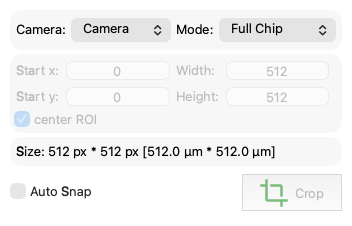
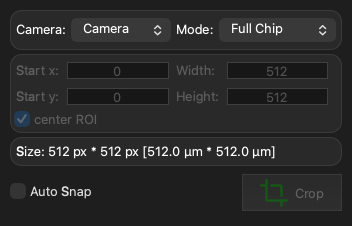
Screenshot generated from the example below.

Example

examples/camera_roi_widget.py
from pymmcore_plus import CMMCorePlus
from qtpy.QtWidgets import QApplication

from pymmcore_widgets import CameraRoiWidget

app = QApplication([])

mmc = CMMCorePlus.instance()
mmc.loadSystemConfiguration()

# this widget supports multiple camera devices
mmc.loadDevice("Camera2", "DemoCamera", "DCam")
mmc.initializeDevice("Camera2")

cam_roi_wdg = CameraRoiWidget()
cam_roi_wdg.show()

app.exec()

API

Bases: QWidget

A Widget to control the camera device ROI.

When the ROI changes, the roiChanged Signal is emitted with the current ROI (x, y, width, height, comboBoxText)

Parameters:

Name Type Description Default
parent QWidget | None

Optional parent widget, by default None

None
mmcore CMMCorePlus | None

Optional pymmcore_plus.CMMCorePlus micromanager core. By default, None. If not specified, the widget will use the active (or create a new) CMMCorePlus.instance.

None

roiChanged

roiChanged = Signal(int, int, int, int, str)

Emitted with (x, y, width, height, roi_name) when the camera ROI changes.

camera property

camera: str

value

value() -> dict[str, CameraInfo]

Return the camera information dict.